![con.png]](https://help.contractorcommerce.com/hs-fs/hubfs/con.png?height=50&name=con.png)
What’s changed
- Visual quote layout
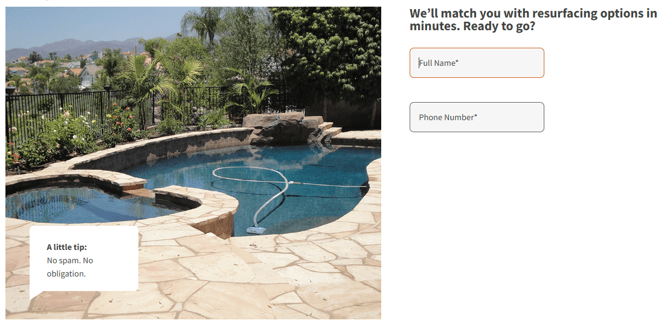
The layout has evolved from a step-by-step, icon-driven design to a more streamlined and visually balanced experience. Instead of centering each step with icons for every answer, responses are now presented in a compact format on the right, while a supporting image appears on the left.
This new structure allows multiple related questions to be displayed within a single step, keeping users focused on selecting answers. The result is a smoother, faster quote experience with less interruption.
Additionally, the images shown in the quote flow can be customized to reflect each contractor’s branding and style, giving contractors a more distinctive, professional look compared to competitors using generic quote experiences.
- Rebates & incentives
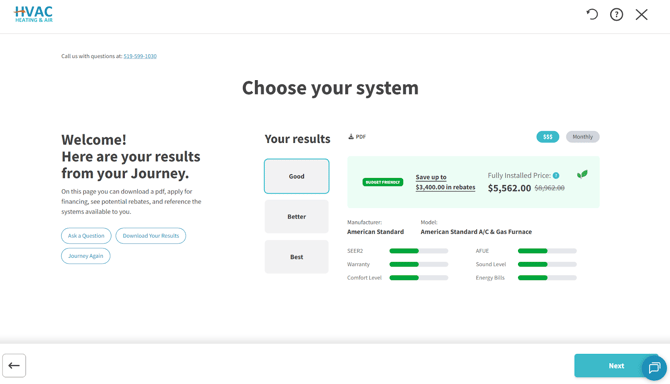
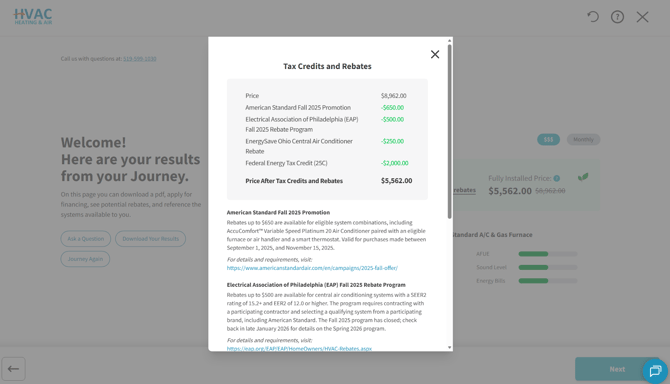
Rebates are automatically sourced from the internet and displayed directly within the quote experience. Detailed information is available through a dedicated pop-up dialog, which includes rebate amounts, eligibility details, and direct links to the original sources for full transparency.
What plans have access?
The All-business layout, as well as web-sourced & auto-generated rebates are open to anyone on Advantage+ plans or higher.
Visual Quote Layout
Initial buying journey is restricted to SVG images attached to the answer choices within a multiple-choice field. Because of this SVG requirement for images, it was difficult to implement customized answers without investing resources in acquiring compatible image types for the journey.
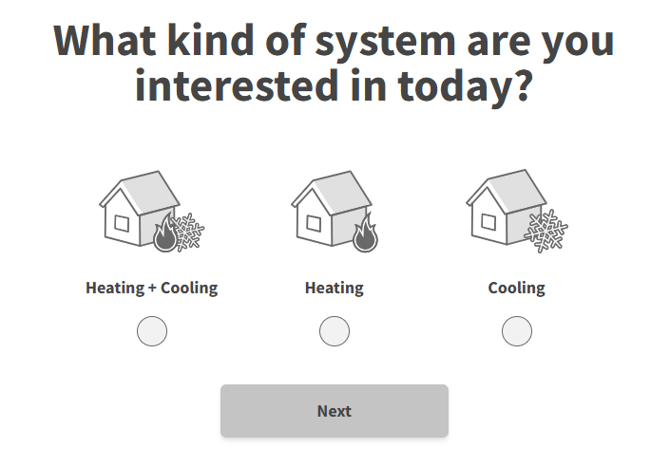
The All-business layout of the buying journey allows the user to import a png (or similar file types) into the image field for supporting content to the question.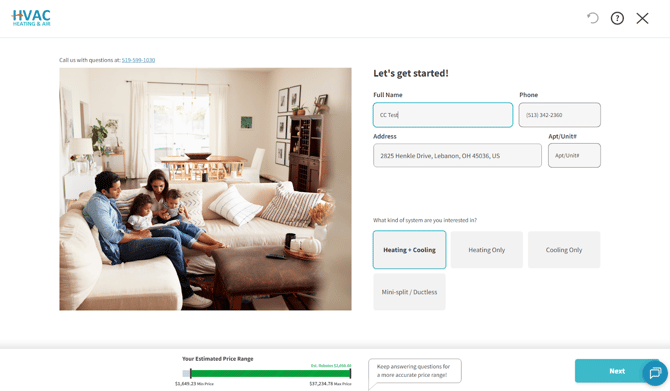
Rebates & incentives
Within the improved all-business layout, rebates are automatically sourced from the internet and displayed directly within the quote experience. Detailed information is available through a dedicated pop-up dialog, which includes rebate amounts, eligibility details, and direct links to the original sources for full transparency. Moreover, the full price of the system contains a strikethrough that subtracts the potential rebates, making it easier for the contractor to get in the door.
The conversational layout can house static amounts or percentages to show rebate and incentives the contractor wants to show. These results can also be sourced from the internet and implemented.
In the case the contractor does not want to show this information, both layouts offer the ability to toggle on/off the rebate feature.
Conversational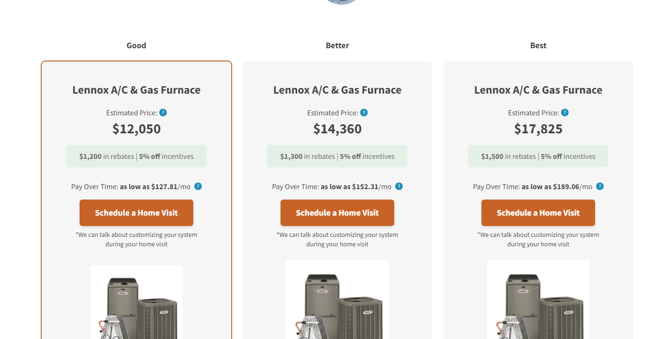
All-Business